


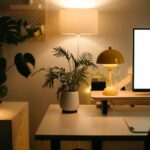
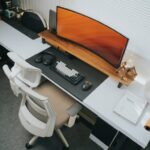
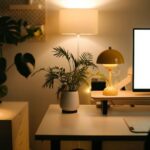
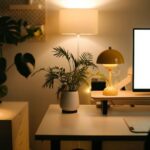

Creating a home workspace that is both relaxing and productive can significantly improve how you work and feel throughout the day. Whether you’re working remotely full-time or just need a dedicated area for occasional tasks, setting up a comfortable and calming environment helps reduce stress and increase focus. Here are some helpful tips to design your perfect home workspace.
1. Choose the Right Location
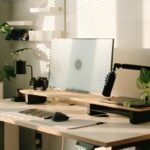
Finding the best spot in your home is the first step. Ideally, pick a quiet area away from high-traffic zones to minimize distractions. Consider corners, unused rooms, or even a nook with a naturally calming view, such as a window facing greenery. Natural light exposure is a huge benefit here, so try to position your desk near a window if possible.
Benefits of a Well-Chosen Spot:
– Reduced noise and interruptions
– Access to natural light
– A sense of separation from leisure spaces
2. Invest in Comfortable Furniture
Your comfort is crucial for maintaining productivity over long hours. An ergonomic chair that supports your posture can prevent back and neck pain. Pair it with a sturdy desk at the right height to avoid strain. Adjustable furniture is a bonus as you can tailor it to your needs throughout the day.
Key Furniture Features to Look For:
– Adjustable chair height and lumbar support
– Desk size sufficient for your computer and supplies
– Option for standing desks or adjustable desks if you prefer changing postures
3. Keep the Space Organized
Clutter is distracting and can make your workspace feel stressful rather than relaxing. Invest in storage solutions such as shelves, drawers, and organizers to keep documents and tools neatly arranged. Label containers if needed and develop a habit of tidying your desk at the end of each day.
Organization Tips:
– Use cable management tools to keep wires neat
– Store frequently used items within easy reach
– Keep only essential items on your desk surface
4. Incorporate Soothing Colors and Decor
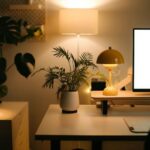
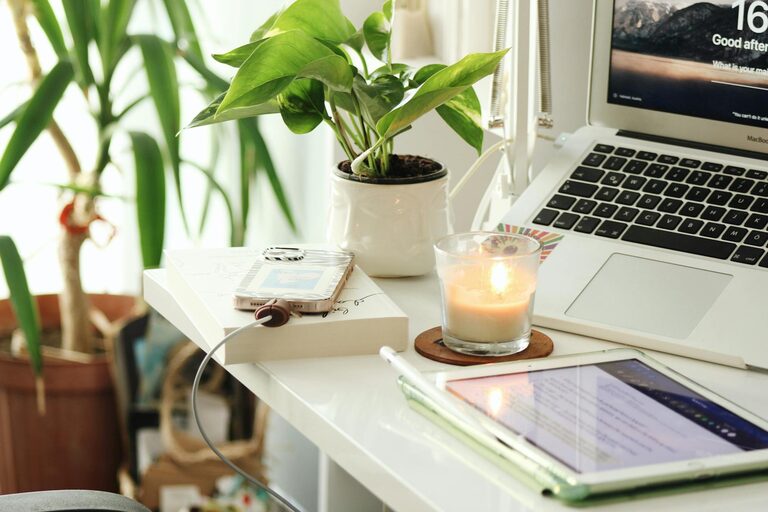
Colors impact mood and productivity. Soft, muted tones like light blues, greens, or earth tones create a calming atmosphere. Avoid overly bright or harsh colors that may cause eye strain or anxiety. Personalize the space with items that make you feel relaxed, such as plants, artwork, or inspirational quotes – but keep decor minimal to avoid clutter.
Ideas for Calming Decor:
– Small indoor plants for a touch of nature
– A diffuser with subtle essential oils like lavender or eucalyptus
– Simple decorative items that spark joy but don’t crowd your desk
5. Optimize Lighting
Good lighting is essential to reduce eye strain and create a welcoming workspace. Combine natural light with quality artificial lighting. A desk lamp with adjustable brightness can help during early mornings or evenings. Avoid harsh overhead fluorescents; instead, go for warm LED lights that mimic daylight.
Lighting Guidelines:
– Position your screen to reduce glare from windows
– Use layered lighting to adapt to different times of day
– Consider light bulbs with adjustable color temperature
6. Minimize Noise and Interruptions
Sound can easily disrupt your focus, so controlling noise levels is important. Noise-cancelling headphones or white noise machines can help block out distractions. If you share your home with others, set boundaries by communicating your work hours clearly.
Additional Sound Tips:
– Use soft fabrics like rugs and curtains to absorb sound
– Play gentle background music or natural sounds if it helps your concentration
7. Add Elements for Movement and Breaks
Staying seated all day can be unhealthy and reduce productivity. Place a yoga mat or a small space for stretching nearby so you can move regularly. Taking short breaks helps refresh your mind and body, making you more productive when you return to work.
Movement Ideas:
– Set timers to remind yourself to get up every hour
– Include simple exercise or meditation tools within your workspace
8. Personalize Your Tech Setup
Make sure your computer, monitor, keyboard, and mouse are suited to your work style. Use ergonomic accessories such as wrist rests or external keyboards if needed. Keep your devices organized and free from unnecessary apps or files to avoid digital clutter.
Tech Organization Tips:
– Align your monitor at eye level to reduce neck strain
– Use multiple screens if your work requires multitasking
– Regularly clean and update your devices for smooth performance
9. Maintain a Consistent Routine
Finally, having a consistent daily routine helps your mind associate the space with productivity. Start and end your work at the same times, take breaks, and always tidy your workspace before finishing. This behavior sets clear boundaries between work and personal time, contributing to better mental balance.
—
In Summary
Designing a relaxing home workspace that promotes comfort and productivity involves thoughtful choices about location, furniture, organization, lighting, and decor. By creating an environment that meets your physical and mental needs, you’ll be better equipped to focus, reduce stress, and enjoy your work-from-home experience more fully. Remember, the workspace should reflect your personal preferences while encouraging healthy habits and efficient workflow.
Try these tips step-by-step and adjust as you discover what makes you feel most comfortable and productive. Your ideal home office is within reach!