









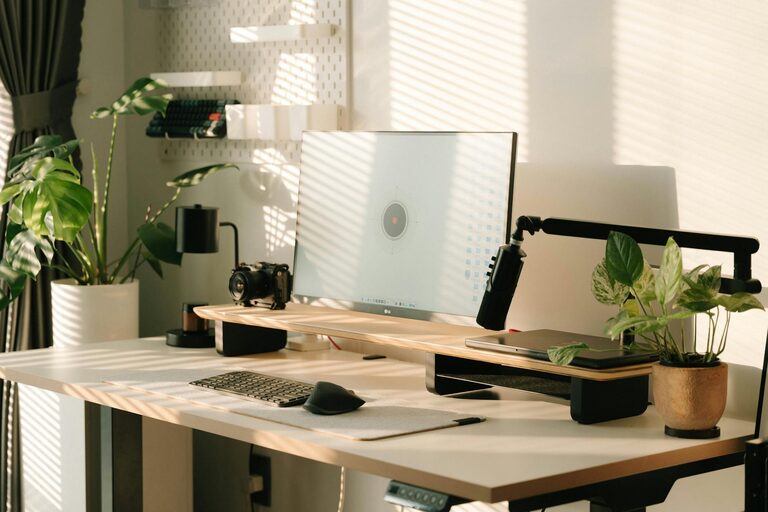
Creating a productive home workspace is essential for anyone working or studying remotely. With the rise of telecommuting, having a designated area that supports focus and comfort can make all the difference in your workday. Whether you have a dedicated room or a small corner, these tips will help you design a workspace that enhances productivity and well-being.
1. Choose the Right Location
The foundation of a productive workspace is its location within your home. Consider the following factors:
– Minimize distractions: Select a quiet area away from common household traffic or noise.
– Natural light: A space near a window provides natural lighting that can improve mood and energy levels.
– Privacy: If possible, choose a spot where you can close a door or have some visual separation from living spaces.
Even if space is limited, try to carve out a defined area to mentally separate work from relaxation.
2. Invest in Ergonomic Furniture
Comfort and posture are key to staying productive and avoiding physical discomfort.
– Desk: Opt for a desk that fits your available space and suits the type of work you do. Adjustable-height desks are a great option for switching between sitting and standing.
– Chair: Choose an ergonomic chair with lumbar support, adjustable height, and comfortable cushioning.
– Monitor setup: Position your screen at eye level to reduce neck strain. Use a laptop stand or external monitor if needed.
Proper furniture setup helps you maintain good posture and reduces fatigue during long working hours.
3. Optimize Lighting
Good lighting reduces eye strain and keeps you energized.
– Natural light: Maximize daylight by positioning your desk near windows. Use light curtains to diffuse harsh sunlight.
– Task lighting: Add a desk lamp with adjustable brightness for focused work, especially during evenings.
– Avoid glare: Arrange screens and lights to prevent reflections or glare on your monitor.
Balancing natural and artificial light creates a pleasant atmosphere that supports productivity.
4. Declutter and Organize
A tidy workspace promotes a clear mind and efficient work habits.
– Keep essentials handy: Store frequently used items such as pens, notebooks, and chargers within reach.
– Use storage solutions: Drawers, shelves, or organizers help keep papers and accessories in order.
– Digital declutter: Organize your files and desktop icons regularly to avoid digital chaos.
Spend a few minutes each day maintaining your workspace to make it easier to start fresh every morning.
5. Personalize Your Space
Adding personal touches can make your workspace more enjoyable and motivating.
– Plants: Small indoor plants can improve air quality and add a touch of nature.
– Artwork: Inspirational quotes or artwork can boost your creativity.
– Comfort items: A cozy blanket, a favorite mug, or pleasant scents like essential oils can enhance comfort.
Avoid overdecorating; keep personalization balanced so it doesn’t become distracting.
6. Manage Noise Levels
Noise can be a major productivity killer. Here’s how to control it:
– Noise-canceling headphones: Great for focusing in noisy environments.
– White noise machines or apps: These can mask distracting sounds.
– Family or housemate agreements: Set quiet hours during your working time if possible.
Creating an environment conducive to concentration helps maintain workflow and reduce stress.
7. Establish a Routine
Your workspace can support productivity by reinforcing your working habits.
– Set work hours: Choose consistent start and end times to create boundaries.
– Take breaks: Use techniques like the Pomodoro method to balance work and rest.
– End-of-day rituals: Organize your workspace before finishing to signal the workday’s end.
A routine encourages discipline and separates work time from personal life.
8. Use Technology Wisely
Leverage tools that aid productivity without causing distractions.
– Internet connection: Ensure a reliable and fast connection to avoid interruptions.
– Productivity apps: Time trackers, task managers, and calendar tools help keep you organized.
– Limit notifications: Turn off non-essential alerts during focused work sessions.
Technology should support your goals, not disrupt your concentration.
—
Creating a productive home workspace is a valuable investment that improves your remote work experience and overall satisfaction. By thoughtfully arranging your environment, managing distractions, and nurturing good habits, you can make home your most effective workplace. Try implementing these tips step-by-step and adjust based on what fits your unique needs best.