







Creating a relaxing home workspace is essential for maintaining productivity and mental well-being when working remotely. A thoughtfully designed area can reduce stress, increase focus, and make your work hours more pleasant. Whether you have a dedicated room or a small corner, these tips will help you craft a space that balances comfort with efficiency.
Why a Relaxing Workspace Matters
Working from home often blurs the boundaries between personal and professional life. Without a clear separation, distractions increase, and motivation can wane. A relaxing workspace allows you to mentally switch into “work mode,” improving concentration and reducing fatigue.
Choose the Right Location
Finding the ideal spot to set up your workspace is the first step.
– Quiet Area: Select a place away from household noise like the kitchen or TV.
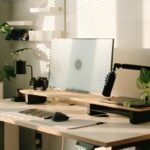
– Natural Light: Position your desk near a window to benefit from daylight, which boosts mood and energy.
– Space to Move: Ensure you have enough room to stretch or add ergonomic furniture.
Invest in Comfortable Furniture
Comfort plays a significant role in keeping you relaxed and focused.
– Ergonomic Chair: Choose a chair that supports good posture and reduces back strain.
– Adjustable Desk: If possible, use a desk that can switch between sitting and standing positions.
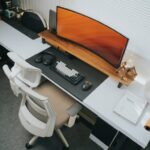
– Adequate Desk Size: Your desk should comfortably fit your computer, accessories, and workspace essentials.
Organize and Declutter
A cluttered workspace can be distracting and stressful. Keeping your area neat promotes mental clarity.
– Storage Solutions: Use shelves, boxes, or drawers to store documents and supplies.
– Daily Tidy-up: Spend a few minutes at the end of each day clearing your desk.
– Minimal Essentials: Keep only items you need regularly within reach; store the rest away.
Personalize Thoughtfully
Adding personal touches can make your workspace welcoming without causing distractions.
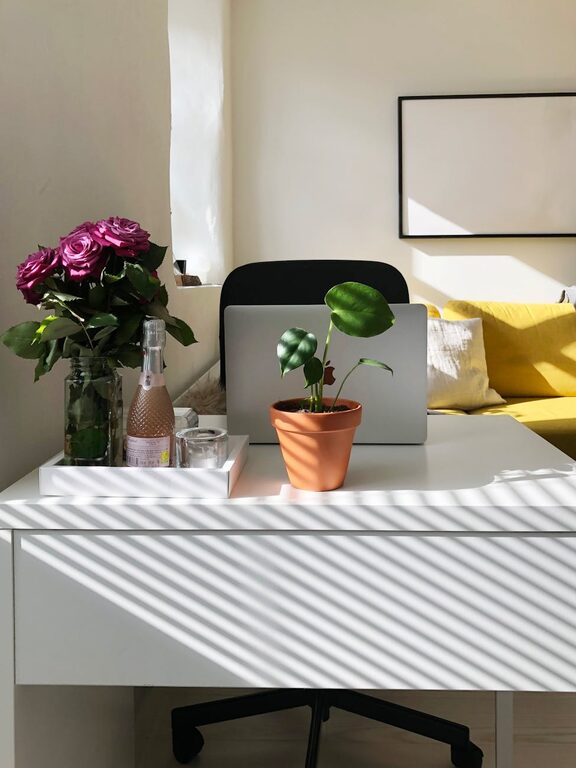
– Plants: Incorporate small indoor plants; they improve air quality and create a calm atmosphere.
– Artwork: Select calming images or inspiring quotes that boost your mood.
– Soft Lighting: Use lamps or fairy lights for gentle lighting instead of harsh overhead bulbs.
Minimize Noise and Distractions
Controlling noise helps maintain focus and reduces stress.
– Noise-Canceling Headphones: Useful if you cannot avoid background sounds.
– White Noise Machines or Apps: These can drown out distractions with soothing sounds.
– Set Boundaries: Inform family or housemates about your work times to limit interruptions.
Optimize Technology Setup
A smooth technology experience aids productivity.
– Reliable Internet: Ensure your connection is stable and fast.
– Ergonomic Accessories: Consider wireless keyboards and mice for comfort.
– Cable Management: Organize wires to keep your desk tidy and avoid accidents.
Incorporate Break Spaces
Taking breaks is vital for sustaining focus over long periods.
– Dedicated Rest Area: If possible, have a separate spot where you can relax away from your desk.
– Movement Breaks: Stretch or do light exercises to refresh your body.
– Hydration and Snacks: Keep water and healthy snacks nearby to stay energized.
Maintain Consistent Routine
Creating a routine helps your brain associate the workspace with productivity.
– Set Work Hours: Define clear start and end times to your workday.
– Morning Rituals: Begin with activities that prepare you mentally, like reviewing your schedule or a short meditation.
– Regular Check-ins: Organize your tasks and goals to keep motivation high.
Final Thoughts
Designing a relaxing and productive home workspace is a combination of comfort, organization, and personalization. By applying these tips, you can transform any area into a haven that supports your professional goals while promoting well-being. Remember, the key is to create a space that feels right for you and adapts to your working style.
Start small, make gradual changes, and enjoy the benefits of a workspace that helps you thrive every day.