



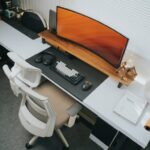




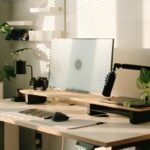
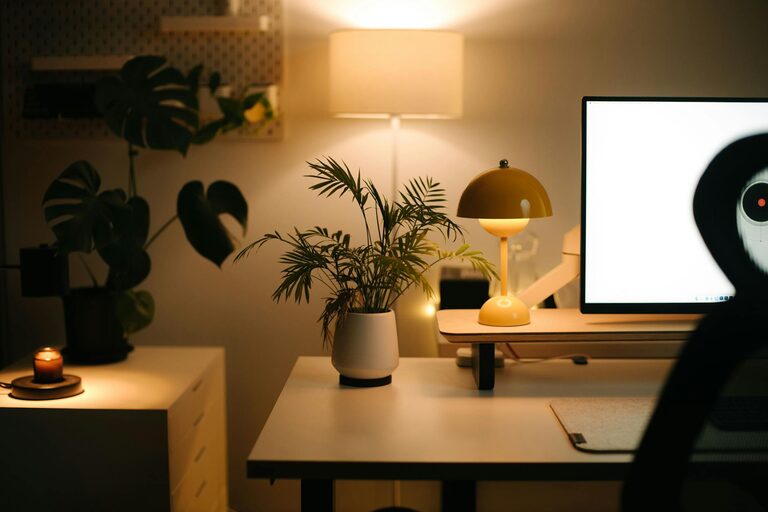
Creating a relaxing home workspace is essential for maintaining productivity and well-being when working from home. A thoughtfully designed environment can help reduce stress, improve concentration, and make your daily tasks more enjoyable. Here are practical tips to help you create a calming and productive workspace right at home.
Choose the Right Location
Selecting the right spot for your workspace is the first step. Ideally, pick a quiet area with minimal foot traffic and distractions. If possible, avoid working from your bedroom or couch, as these places may make it harder to separate work from relaxation.
– Look for a corner in a spare room, a dedicated office, or even a quiet nook.
– If space is limited, use a room divider or bookshelf to create a clear boundary between your workspace and living area.
Prioritize Natural Light
Natural light has been shown to boost mood and energy, which positively impacts focus and productivity. Position your desk near a window to maximize daylight.
– Avoid harsh glare by using sheer curtains or adjustable blinds.
– If natural light is limited, use daylight-balanced artificial lighting to reduce eye strain.
Invest in Comfortable, Supportive Furniture
Comfort matters when you’re working for extended periods.
– Choose an ergonomic chair that supports your lower back.
– Select a desk at a height that allows your elbows to rest comfortably at your sides.
– Consider a sit-stand desk to change positions throughout the day, promoting circulation and reducing fatigue.
Declutter and Organize
A cluttered workspace can increase stress and make it harder to focus.
– Keep only essential items on your desk to avoid distractions.
– Use organizers, trays, or drawers to store supplies neatly.
– Regularly tidy your workspace at the end of each day.
Add Personal Touches
Incorporate items that make the space feel inviting and relaxing, without overwhelming it.
– Display a few favorite photos or artwork.
– Include plants to add a touch of nature and improve air quality.
– Use calming colors such as soft blues, greens, or neutrals on walls or accessories.
Manage Noise Levels
Noise can be a significant distraction.
– Use noise-canceling headphones or play soft background music if needed.
– Consider white noise machines to block disruptive sounds.
– Talk with family members or roommates about quiet hours during work time.
Optimize Technology Setup
An efficient technology setup minimizes frustration and interruptions.
– Position your computer monitor at eye level to avoid neck strain.
– Use a reliable internet connection and keep cables organized.
– Invest in accessories like an external keyboard, mouse, or webcam for comfort and professionalism.
Take Breaks and Move
Integrating movement breaks helps reduce tension and maintain focus.
– Set reminders to stand, stretch, or take a short walk every hour.
– Use a timer or apps that encourage regular breaks.
– Incorporate simple desk exercises or chair stretches throughout your day.
Control Air Quality and Temperature
Comfortable air quality and temperature contribute to overall relaxation.
– Open windows regularly to circulate fresh air.
– Use fans or space heaters as needed to maintain a comfortable temperature.
– Consider an air purifier if indoor air quality is a concern.
Establish a Routine
A consistent routine helps your brain switch into work mode and stay productive.
– Start work at the same time each day.
– Dress as if you were going to an office to create a mental boundary.
– Set specific work hours and communicate them clearly with others in your household.
Final Thoughts
Creating a relaxing home workspace takes some effort but can greatly improve your productivity and well-being. By choosing the right location, prioritizing comfort and organization, and incorporating calming elements, you build an environment that supports both focus and relaxation. Remember, your workspace reflects your unique needs, so feel free to personalize it to what works best for you.