



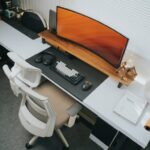




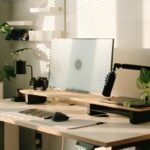
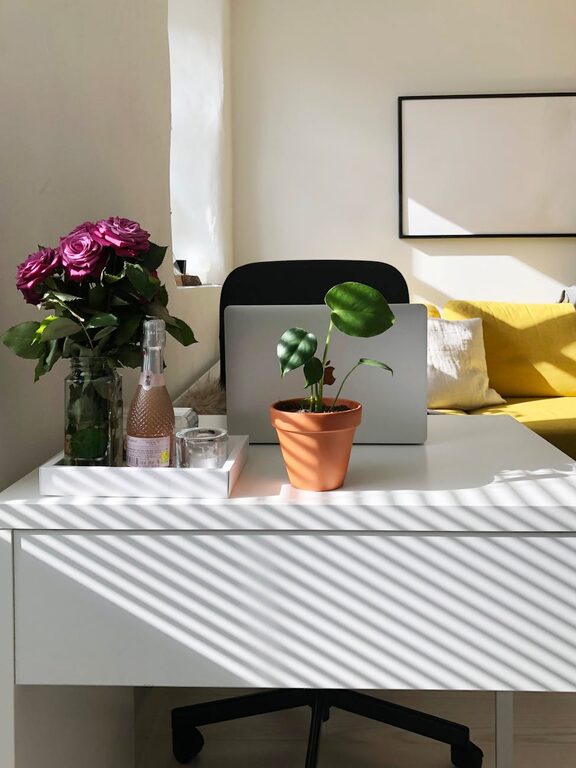
Creating a productive home workspace is essential for anyone working remotely or studying from home. A well-organized and comfortable environment helps improve focus, reduce distractions, and maintain a balanced routine. Whether you have a dedicated room or a small corner in your living area, thoughtful planning can make all the difference. In this post, we’ll explore practical tips to help you set up a workspace that supports your productivity and wellbeing.
Choose the Right Location
The first step in creating a productive workspace is selecting the best possible location in your home.
– Find a quiet spot: Choose an area with minimal background noise to help you concentrate.
– Consider natural light: Position your desk near a window to benefit from daylight, which can boost mood and energy.
– Avoid high-traffic zones: Stay away from spaces prone to interruptions, such as living rooms or kitchens during busy times.
– Consider privacy: If possible, use a separate room or a corner with some form of partition to create a sense of separation from household activities.
Invest in Comfortable Furniture
Comfort is key for long hours of work or study.
– Ergonomic chair: Choose a chair that supports good posture, with adjustable height and lumbar support.
– Appropriate desk height: Your desk should allow you to type or write with your elbows at a 90-degree angle.
– Sufficient surface area: Ensure you have enough space for your monitor, laptop, notebooks, and other essentials without clutter.
– Footrest and accessories: If needed, a footrest can reduce leg strain, and accessories like keyboard trays can help with posture.
Organize Your Space Efficiently
A tidy workspace reduces stress and saves time searching for items.
– Declutter regularly: Remove unnecessary items from your desk to maintain a clean environment.
– Use storage solutions: Use shelves, drawers, or organizers to keep supplies neat and accessible.
– Cable management: Use clips or ties to keep cords organized and out of the way.
– Essential tools only: Keep frequently used items within arm’s reach and store less-used materials elsewhere.
Optimize Lighting
Good lighting reduces eye strain and creates a pleasant atmosphere.
– Natural light: Maximize daylight but avoid glare on screens by angling your desk or using adjustable blinds.
– Task lighting: Add a desk lamp with adjustable brightness for focused work.
– Warm vs. cool light: Cool white light can help with concentration, while warmer light is more relaxing. Balance these based on your working times.
Minimize Distractions
Controlling distractions helps maintain sustained focus.
– Turn off non-essential notifications: Silence smartphone or computer alerts that aren’t work-related.
– Use noise-canceling headphones: These can block background noise or allow you to listen to concentration-boosting music.
– Set boundaries: Communicate your working hours and workspace rules with others in your household.
– Keep your workspace dedicated: Use the area only for work to strengthen mental associations and focus.
Personalize Your Workspace
Adding personal touches can make your workspace inviting and motivating.
– Incorporate plants: Small indoor plants improve air quality and create a calming environment.
– Add art or photos: Display items that inspire or uplift you, but avoid visual clutter.
– Use color: Choose decor and accessories in colors that promote productivity, such as blues or greens.
– Comfort accessories: A cozy blanket or cushion can increase comfort during long work sessions.
Establish a Routine
Your workspace is just one part of productivity; habits matter too.
– Set regular hours: Start and end work at consistent times to create structure.
– Take breaks: Use techniques like the Pomodoro method to prevent burnout.
– Dress for work: Changing out of pajamas can prepare you mentally for a productive day.
– Organize tasks: Use planners or digital tools to keep track of priorities and deadlines.
Maintain Good Technology Setup
Reliable technology supports smooth workflow.
– Stable internet connection: Ensure your Wi-Fi is fast and steady or consider a wired connection if possible.
– Quality peripherals: Invest in a good keyboard, mouse, and headphones to improve comfort.
– Monitor setup: Use an external monitor if possible to reduce eye strain and increase screen space.
– Backup solutions: Use cloud storage or external drives to safeguard your work.
Conclusion
Creating a productive home workspace doesn’t require a large budget or space, but it does benefit from thoughtful choices that suit your work style and environment. By selecting the right location, investing in ergonomic furniture, keeping things organized, and minimizing distractions, you can build a workspace that supports focus and efficiency. Remember to personalize your area and establish consistent routines to sustain productivity over time. With these tips, your home workspace can become a place you look forward to working in each day.